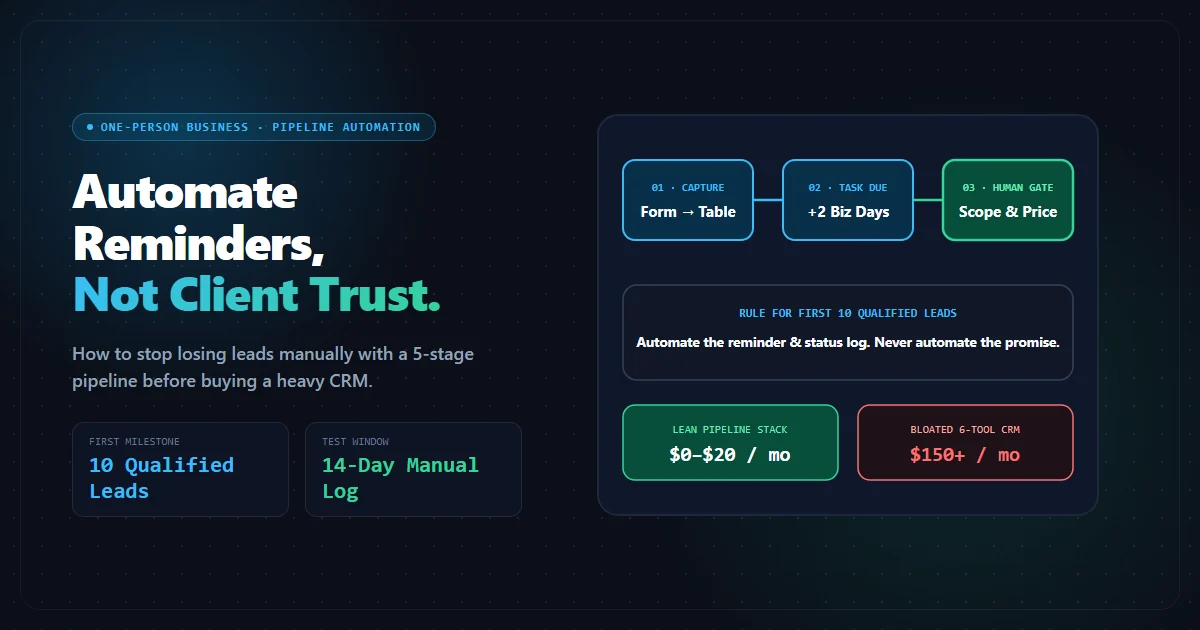
Most solo operators do not lose leads because they lack an enterprise CRM. They lose them because the next action is trapped in a chat thread, a notebook, or memory. The first useful automation is therefore not a complex stack. It is a visible workflow that records the lead, assigns a next step, and makes follow-up difficult to forget.
Start with the smallest repeatable workflow
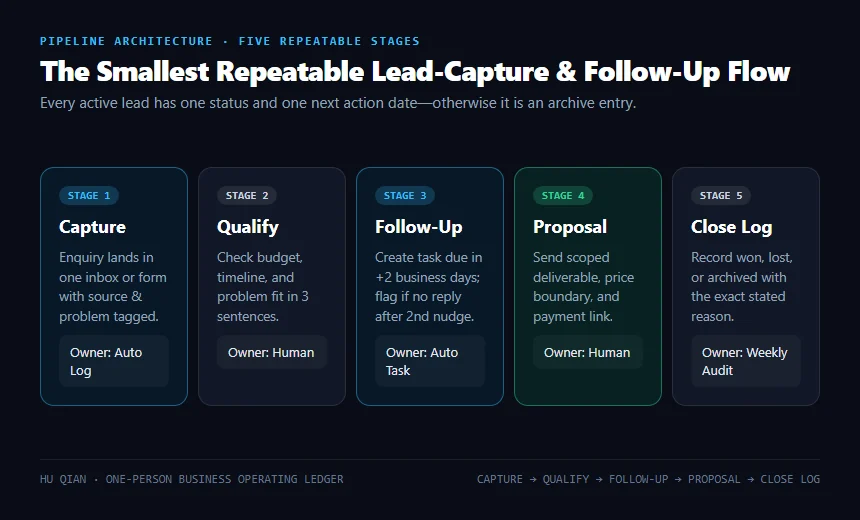
Use five states:
- Captured: name, contact, source, problem, and date recorded.
- Qualified: the problem fits your offer, budget, timing, and capability.
- Proposed: the next step, scope, price, and deadline are written down.
- Waiting: you know exactly what you are waiting for and when to follow up.
- Won or closed: record the outcome and the reason.
A spreadsheet is enough at the beginning. A form feeding a table is enough when messages arrive from several places. A CRM becomes justified when the cost of missed follow-up is higher than the cost and maintenance burden of the CRM.
Define the trigger before buying a tool
Automation should begin with an observable event:
- a prospect submits an enquiry form;
- a call ends and a follow-up is due;
- a proposal is sent without a reply after three business days;
- a client accepts a scope and delivery tasks must be created;
- a completed project should trigger a testimonial or referral request.
If you cannot state the trigger, action, owner, and failure fallback in one sentence, the workflow is not ready to automate.
A useful specification looks like this:
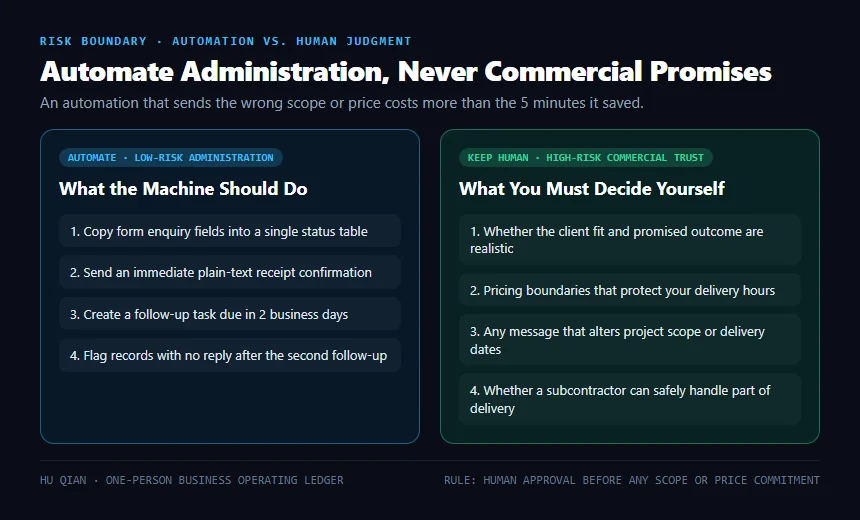
When a qualified enquiry is added, create a follow-up task due in two business days, send a personal confirmation, and flag the record if no reply is received after the second follow-up.
The fallback matters. An automation that silently fails is worse than a manual checklist because it creates false confidence.
Keep human judgment at the expensive points
Automate administration, not trust. The machine can create a task, copy a summary, apply a label, or send a confirmation. You should still decide:
- whether the lead is a good fit;
- whether the promised outcome is realistic;
- whether the price protects your delivery time;
- whether the request belongs in your public case studies;
- whether a subcontractor can safely receive the work.
This is why the Fiverr vetting checklist belongs in the same operating system: outsourcing is a delivery decision, not a checkbox in a CRM.
A lean stack for the first ten qualified leads
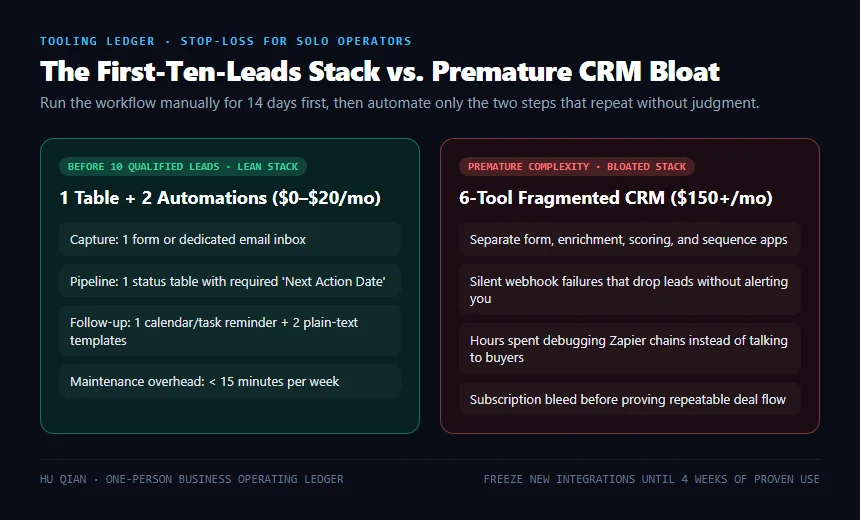
Before ten qualified leads, use the simplest stack that leaves an audit trail:
- one form or inbox for capture;
- one table with a defined status field;
- one calendar or task list for follow-up;
- one email template for confirmation and one for follow-up;
- one weekly review of open and closed opportunities.
Do not add separate tools for forms, enrichment, lead scoring, appointment scheduling, proposals, and reporting merely because each has a free tier. The free stack can still create a paid maintenance problem.
Use the subscription stop-loss ledger to review the recurring cost. The right question is not “does this tool have automation?” It is “does it prevent a specific missed opportunity or save a measurable amount of delivery time?”
Make follow-up measurable
Track a small set of numbers each week:
- new enquiries;
- qualified enquiries;
- proposals sent;
- follow-ups due and completed;
- wins, losses, and the stated reason;
- time spent maintaining the workflow.
Do not report “leads generated” without separating captured contacts from qualified opportunities. Do not report a form submission as revenue. The chain is capture → qualification → proposal → acceptance → payment.
Failure modes to design out
Everything enters one inbox. Add a required source and problem field so you can see which channel creates useful conversations.
No next date. A record without a next action is not active pipeline; it is an archive entry.
Automation sends the wrong promise. Use human approval before any message that changes scope, price, or delivery expectations.
The workflow grows faster than the business. Freeze new integrations until the existing workflow has been used for four weeks and its failure points are known.
No permission boundary. Do not put sensitive client material into a tool or automation until its access, retention, and sharing settings are understood.
The two-week implementation test
For two weeks, run the workflow manually but record every step. Then automate only the two steps that repeat without judgment—usually creating a follow-up task and sending a confirmation. Compare missed follow-ups, maintenance time, and qualified conversations before and after.
A successful workflow does not look impressive. It makes the next action obvious, survives a busy week, and costs less than the opportunity it protects.